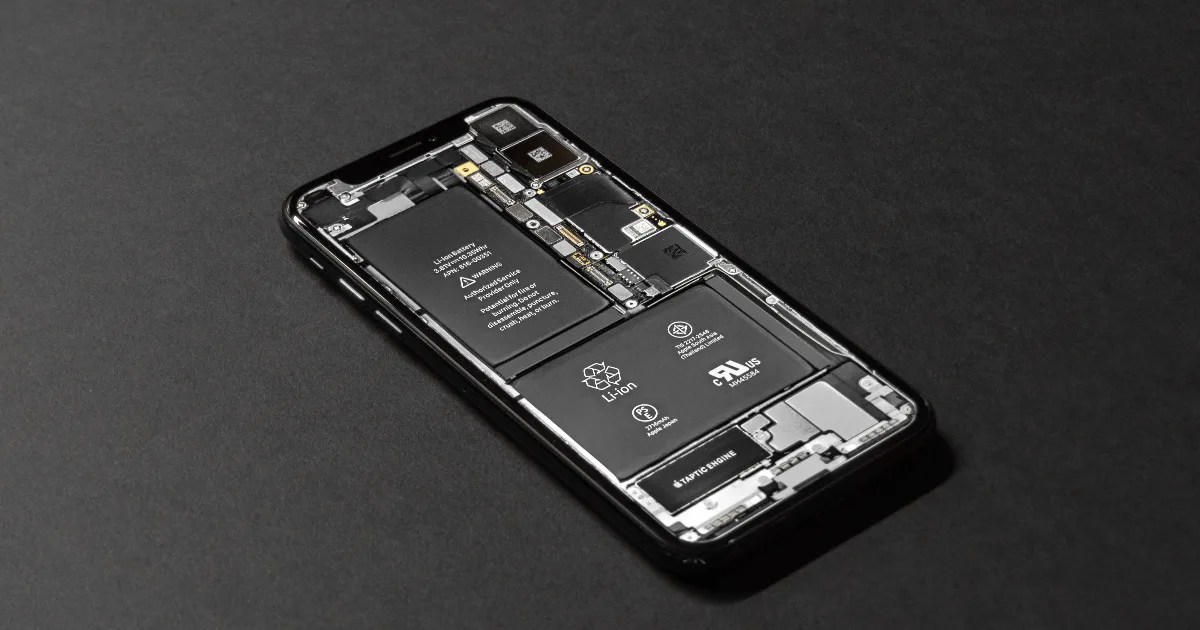
Demystifying the iOS Bootchain: From the Apple Logo to the Home Screen

You hold the power button, the Apple logo shows up, and a few seconds later you are looking at your home screen. It feels instant. It isn't. In those few seconds a chain of small programs hands control to the next, and every handoff comes with the same question: are you really Apple, and have you been touched since Apple signed you? The moment the answer is no, the device stops.
That chain is the thing I have spent most of my career either studying or trying to bend. Every jailbreak I have written, Blizzard included, came down to finding one link in it that could be pushed. So let me walk you through the whole thing properly, without the hand waving you usually get.
The chain of trust, and why it starts in silicon
Apple's model is easy to state and hard to defeat: trust nothing, verify everything, and root that verification in something nobody can rewrite. That root is the SecureROM, though most people call it the BootROM. It is the first code the application processor runs when it powers on, and it is fused into the chip when the phone is built. Read only. No patch, no update, no OTA. Whatever bugs shipped in it are there for the life of that device.
Sitting next to it is a hash of Apple's root certificate. That one immutable anchor is what the entire tower balances on. The BootROM verifies the next stage, that stage verifies the one after it, and it continues all the way up to the kernel and then to every app you launch. Break the anchor and everything above it becomes a story you get to write yourself.
The stages, in order
Here is the normal boot path on a modern device, stripped down to what matters:
- SecureROM (BootROM) runs first. Immutable, holds Apple's root of trust, and loads and verifies the next stage.
- iBoot is the main bootloader. On older hardware this job was split, with a Low Level Bootloader (LLB) running before iBoot. During a restore you also meet iBoot's siblings, iBSS and iBEC, which are the versions that come up in DFU and recovery. iBoot's job is to locate the kernelcache, verify it, and jump into it. It is also the screen you stare at in recovery mode.
- The XNU kernel (shipped as the kernelcache) takes over once iBoot is satisfied. It stands up the memory protections, brings up drivers, and switches on the machinery that keeps enforcing signatures for the rest of the session: AMFI for code signing, the sandbox, and on modern chips KTRR, which locks the kernel's own code as read only so that even a kernel read/write primitive cannot casually rewrite it.
- launchd and userland come last. The kernel starts the first userspace process and the OS you recognize boots on top of it, with every binary still checked for a valid signature on the way in.
Running quietly beside all of this is the Secure Enclave. It has its own tiny ROM (SEPROM), boots its own OS (sepOS), and answers to its own separate chain. Your passcode, your keys, and your Face ID data live behind that wall, and the main processor never touches the secrets directly. Remember this part, because it is why a lot of "total" compromises are not actually total.
What "verify" really means: Image4
The piece most explainers skip is how a stage actually checks the next one, and it is more interesting than "decrypt a signature, compare a hash." Apple wraps firmware in a container called Image4 (IMG4). If you have ever taken an IPSW apart, you have handled these.
An Image4 breaks down like this:
IMG4
├── IM4P  payload      the actual code, e.g. tag "ibot" (iBoot) or "krnl" (kernel)
│   ├── compressed     usually LZSS or LZFSE
│   └── KBAG           key bags, when the payload ships encrypted
├── IM4M  manifest     the "ApTicket": a set of SHA-384 digests plus
│                      constraints, signed by Apple and chained to the
│                      Apple Root CA
└── IM4R  restore      the boot nonce (BNCH) that ties this to one boot
The IM4M manifest is the one that matters. It is a signed statement from Apple that says, in effect, "for a device with these properties, exactly these hashes are allowed to run." A loader does roughly this:
bool loadAndVerify(Image4 img, PublicKey appleRoot) {
    Manifest m = img.manifest;
    if (!chainToApple(m.certChain, appleRoot))   return false;   // really Apple's signature?
    if (!m.boundToThisDevice(ecid(), apNonce()))  return false;  // signed for THIS unit, this boot?
    Digest want = m.digestFor(img.payload.tag);                  // what hash is allowed for "krnl"?
    if (sha384(img.payload.raw) != want)          return false;  // payload untouched?
    return true;                                                 // fine, jump into it
}
Two properties fall out of this that make my life difficult. First, the manifest is signed, so you cannot forge one without Apple's private key. Second, and this is the clever part, the manifest is personalized. It is bound to your device's unique ECID and to a nonce, so a manifest Apple signed for one phone and one boot cannot simply be replayed onto a different phone or reused later. That personalization is the entire reason you cannot freely downgrade an iPhone. When you restore, your Mac asks Apple's signing server (TSS) to either sign a fresh manifest for your ECID or refuse because that version is no longer being signed. Those signed manifests are the "SHSH blobs" people hoard.
Where the chain can actually break
All of the above assumes each stage is honest. Attacking the chain means convincing one stage to run something it was never meant to run, and there are two very different places to do that. The difference between them is everything.
A userland or kernel bug lives in software that Apple ships, which means Apple can fix it. You get a foothold, maybe full kernel control, but the next update closes the door behind you. This is where most modern jailbreaks live, and where a lot of the exploitation I do for disclosure work happens. It is also why those jailbreaks are fragile and tied to a specific version.
A BootROM bug is a different animal. Because the BootROM is fused into the silicon, a flaw there can never be patched on hardware already in people's hands. The public example everyone knows is checkm8, a bug in the USB stack that the chip exposes in DFU mode on a range of older A series parts. Someone who can talk to the device over USB in DFU can get code execution at the very first mutable moment of boot, before any of the checks further up the chain get a chance to matter. That is about as close to the root of the tree as you can get without owning Apple's keys.
Notice what it does not give you, though. It runs at each boot over USB, which makes it tethered by nature: pull the cable, power cycle, and the device comes up clean again unless you re-run it. It also does not touch the Secure Enclave, so passcodes and the keys sitting behind them stay protected. The chain bent. It did not shatter.
DFU, and looking at this yourself
DFU (Device Firmware Update) mode is the BootROM's own USB mode, and it is the cleanest place to watch the bottom of the chain. Nothing shows on screen, the device just listens over USB. From there you can query it and inspect the images it expects using standard open tooling:
irecovery -q                         # what mode am I in, and what device is this
img4tool -a -o iBEC.dec iBEC.im4p    # decode an Image4 payload
img4 -i BuildManifest_APTicket.im4m  # read a manifest / ApTicket
Pull an IPSW apart, point these at the pieces, and the abstract chain above turns concrete. The tags, the digests, the key bags, it is all right there to read.
From the logo to the home screen, in one breath
Here is the whole thing at speed. You press power. The SecureROM wakes up, checks iBoot against Apple's baked in root, and hands off. iBoot finds the kernelcache, checks its Image4 manifest against your device and this boot's nonce, and jumps in. The kernel locks itself down, switches on AMFI and the sandbox, and starts launchd. launchd brings up the OS, every app verified along the way, while the Secure Enclave has been running its own trusted world the entire time. A dozen "prove it" checkpoints, all passed, and you get an Apple logo followed by your home screen.
That is the wall. If you build apps, understand that a jailbroken or checkm8'd device has already knocked a chunk out of it, and the guarantees you inherited from the OS are now assumptions rather than facts.
If you build attacks, you already know the game: find the one checkpoint that can be talked into saying yes. Either way, the bootchain is not magic. It is a very well built argument, and like any argument it holds right up until someone finds the premise that was never true.
Until next time.
Written by GeoSn0w, founder of Forenzes Labs. Follow the research on Twitter (@FCE365).